When a List Optimization Breaks Impression Tracking: The RN FlatList removeClippedSubviews Trap
The removeClippedSubviews Pitfall in React Native Lists
In React Native, we often reach for the
removeClippedSubviewsprop onFlatListto squeeze more performance out of long lists. This innocent-looking optimization caused a data-tracking “disaster” on our team: list items that were nowhere near the viewport kept getting reported as “seen”. After a deep dive, we found the cause touched RN’s view-tree management, the differences between iOS and Android, and the evolution from the old architecture to the new one. This post walks through how we found the problem, why it happens, and how we fixed it.
1. What the Prop Does
The React Native docs, in their guide on optimizing FlatList configuration, mention a prop called removeClippedSubviews, which is said to reduce work on the main thread and therefore cut down on dropped frames.
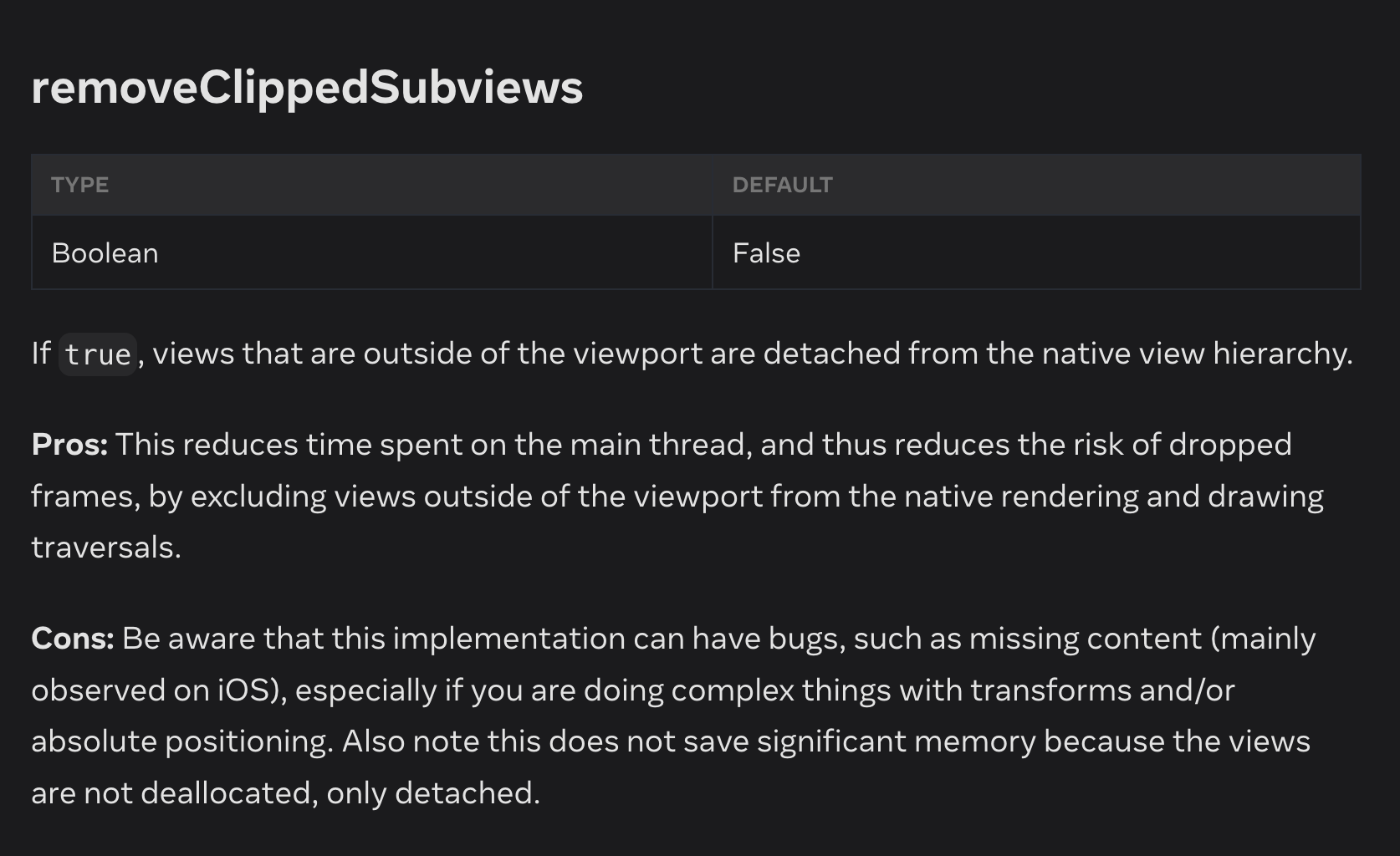
How it works: views that are outside the visible area are detached from their superview (but kept in memory).
2. Background
We have an IntersectionObserverView component. It wraps a target component (called “target” from here on) in a View, and uses the measure method provided by RN’s RCTUIManager to check whether the area of the target visible inside RCTRootView meets a given threshold. That decides whether the component counts as an “impression”, which then fires a callback. We mainly use it for impression tracking.
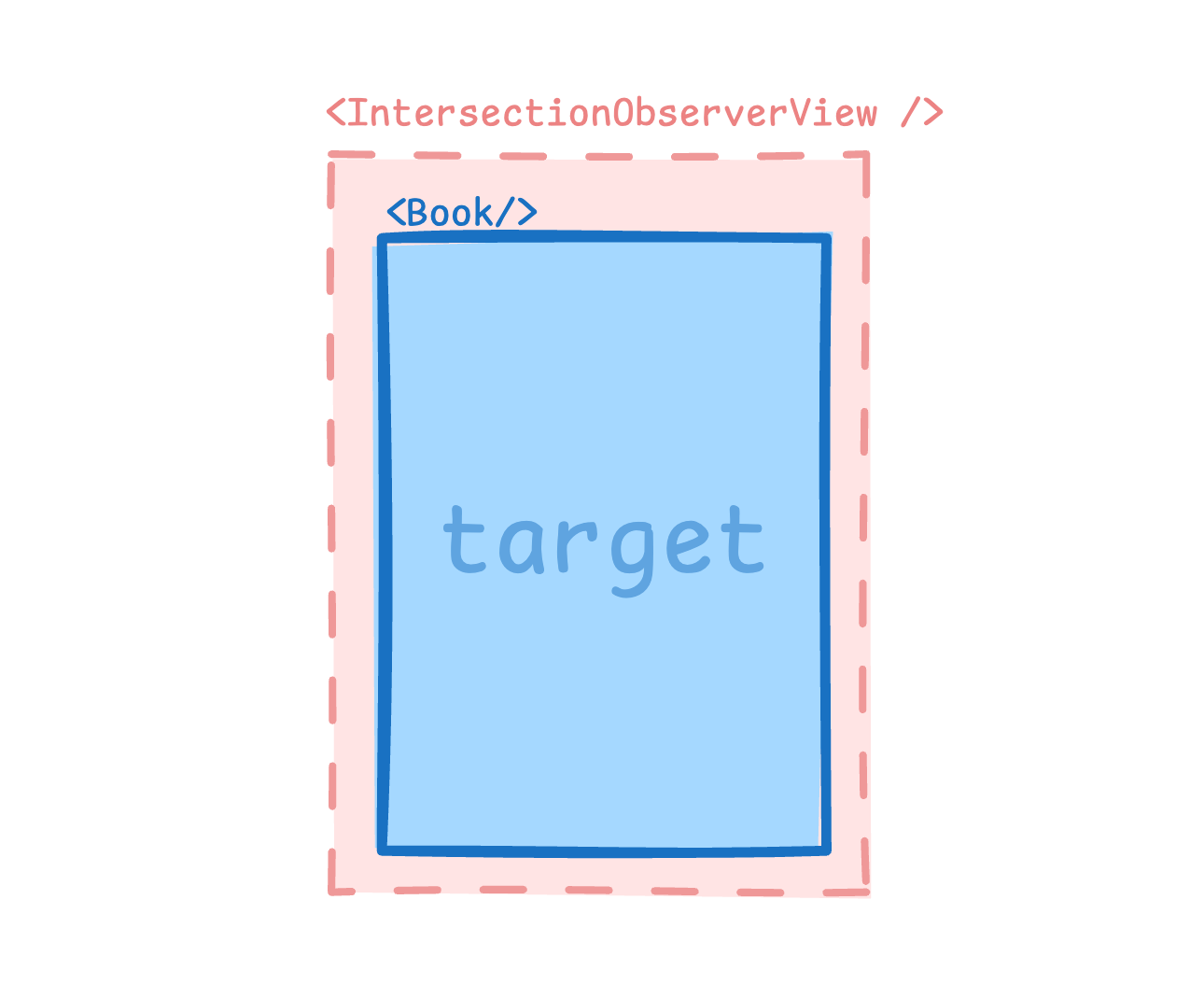
The measurement works as shown below: measure returns the target’s distance to each of the four edges of RCTRootView.
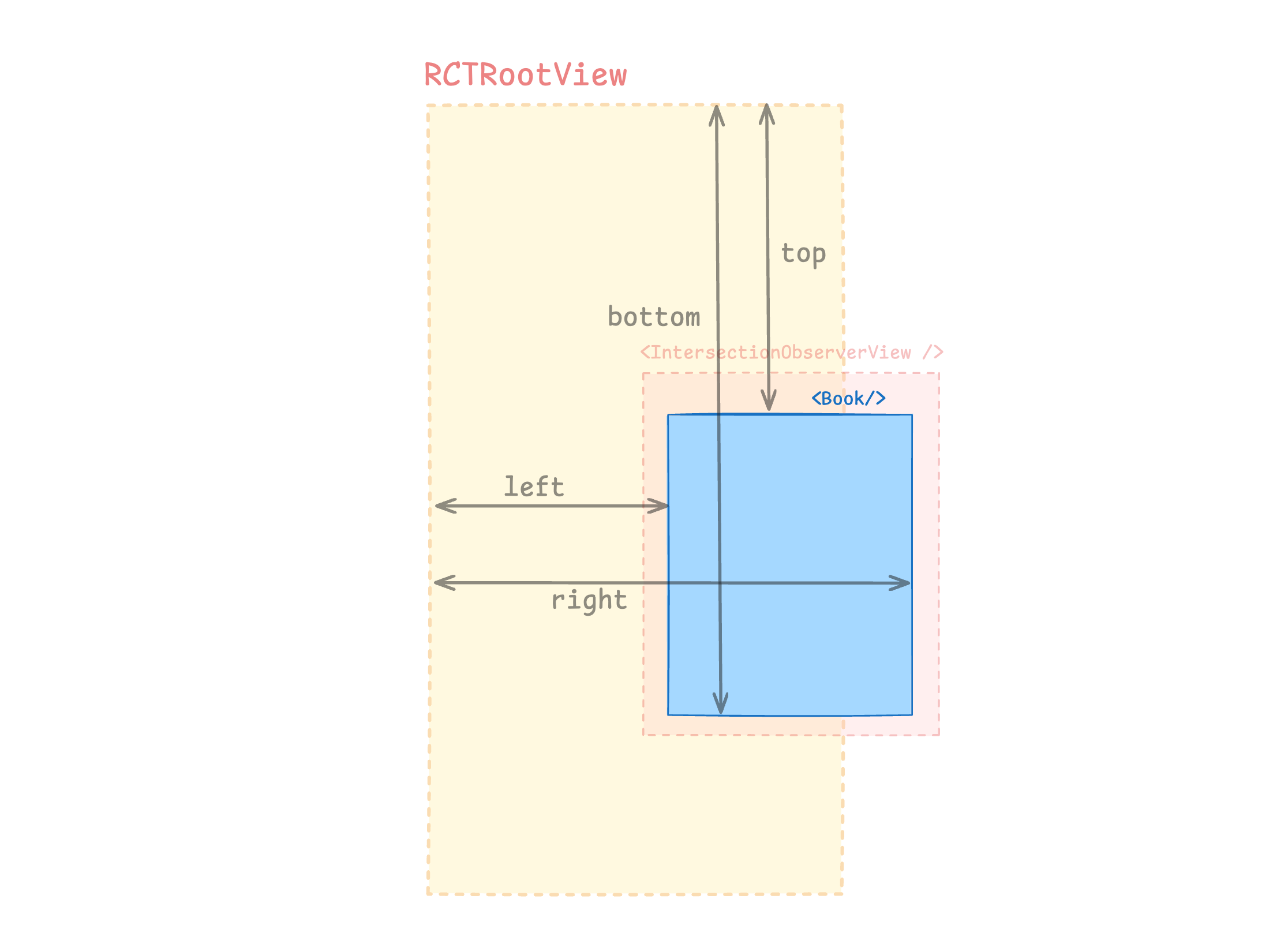
From those four distances we can compute the area where the target intersects RCTRootView. The “visible area ratio” tells us what percentage of the element is inside the viewport, and that decides whether it counts as an impression.
Here’s the catch: in practice, the component sometimes reported false positives.
3. The Symptom
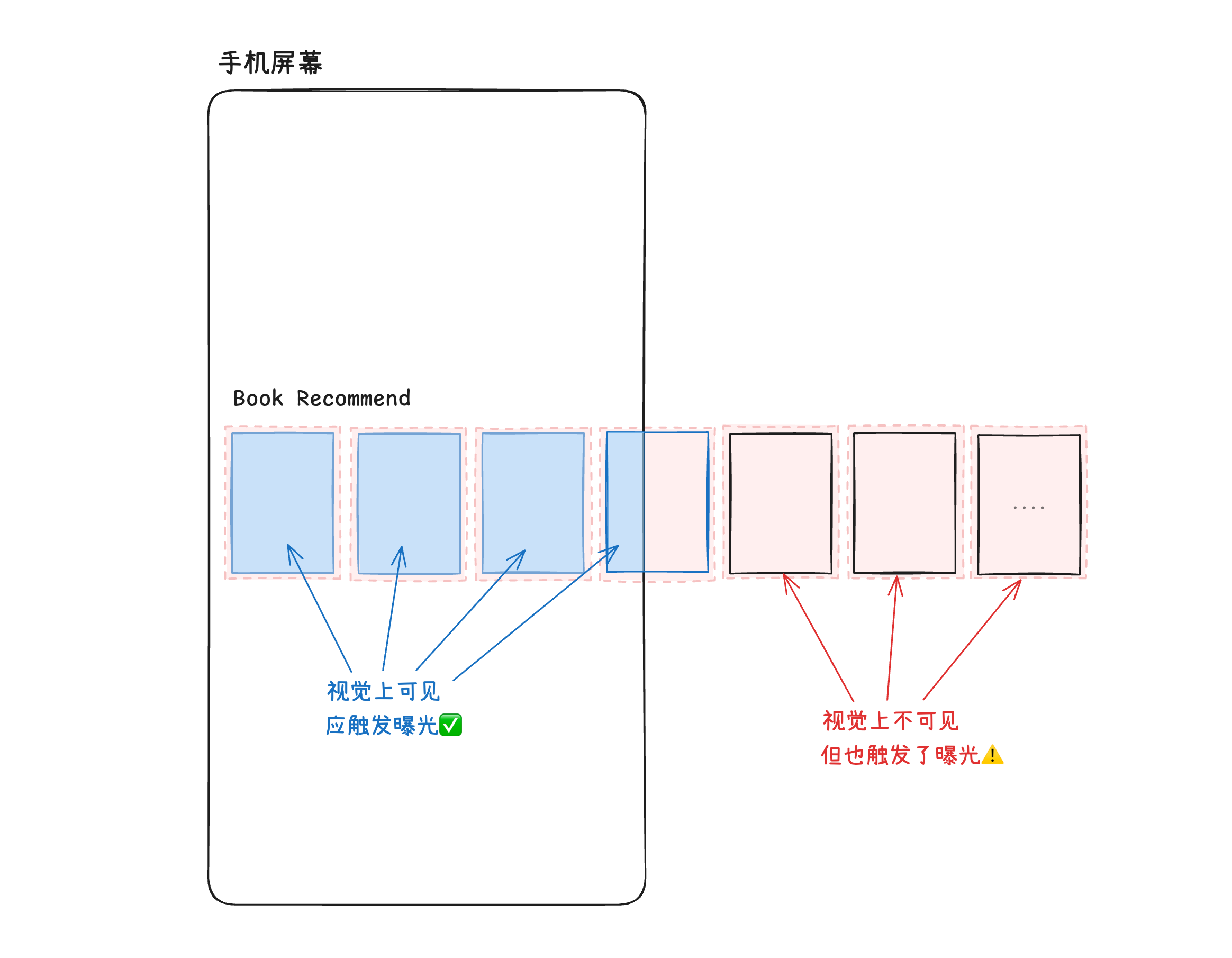
We have a horizontally scrolling list (structure shown below), where every item is wrapped in an IntersectionObserverView for impression tracking.
A simplified version of the view structure in RN code:
const CustomComponent = ({ item }) => {
    return (
        <IntersectionObserverView>
            <Book>{item}</Book>
        </IntersectionObserverView>
    );
};

const App = () => {
    const data = ['Item 1', 'Item 2', 'Item 3', 'Item 4', 'Item 5', 'Item 6', 'Item 7'];

    return (
        <FlatList
            horizontal
            removeClippedSubviews
            data={data}
            renderItem={({ item }) => <CustomComponent item={item} />}
            keyExtractor={(item, index) => index.toString()}
        />
    );
}
The list has 10+ items. On a typical phone screen, a user who doesn’t scroll can only see 3–4 of them.
But what we saw was:
The 4th item and everything after it always reported an impression, with a 100% impression rate.
Naturally, the data analysts were not happy: your reports are all wrong, how am I supposed to analyze anything? 😤
So they suggested adding a scroll-action event as a quick sanity check: if the scroll UV is far lower than the impression UV of the books further down the list, the impressions are wrong.
After adding tracking via onScrollBeginDrag, we confirmed:
It was our bug. The number of scroll events reported by onScrollBeginDrag didn’t match the number of impressions for items that “can only be seen after scrolling”.
Time to dig in.
4. Investigation
After a round of log-based debugging, we found that for the items further down that weren’t visible, the computed “intersection ratio with the viewport” was actually 1. So something in the area calculation was off.
I reviewed the calculation logic and didn’t see any obvious holes, which meant the four measured values left/right/top/bottom had to be wrong.
And where do those four values come from? The official RN measure API.
Time to read the source.
How measure Is Implemented
In our code, we measure by calling the measure method on a View’s ref, like this:
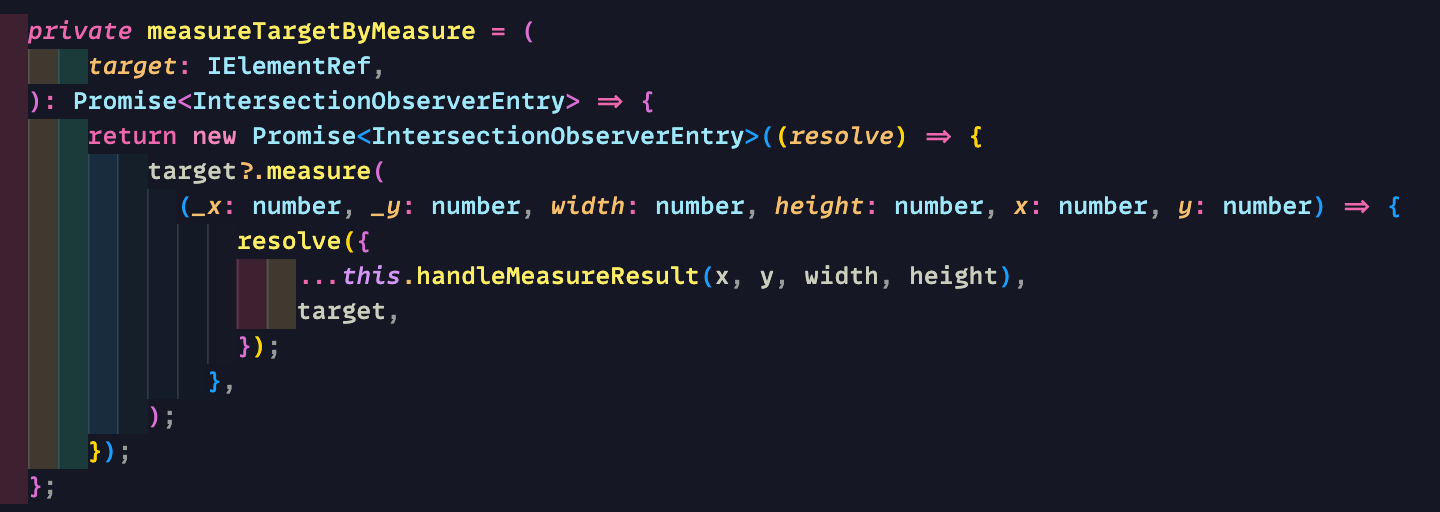
Why can we call viewRef.current.measure directly from the JS side?
And does the logic live in JS or in native code?
It turns out RN adds a type to React called HostComponent and attaches methods to it, such as blur, focus, measure, and measureInWindow, which JS can call directly. These are described in the Direct Manipulation section of the RN docs.
Tracking down where those methods get attached, we found they actually call native methods exposed by RCTUIManager.
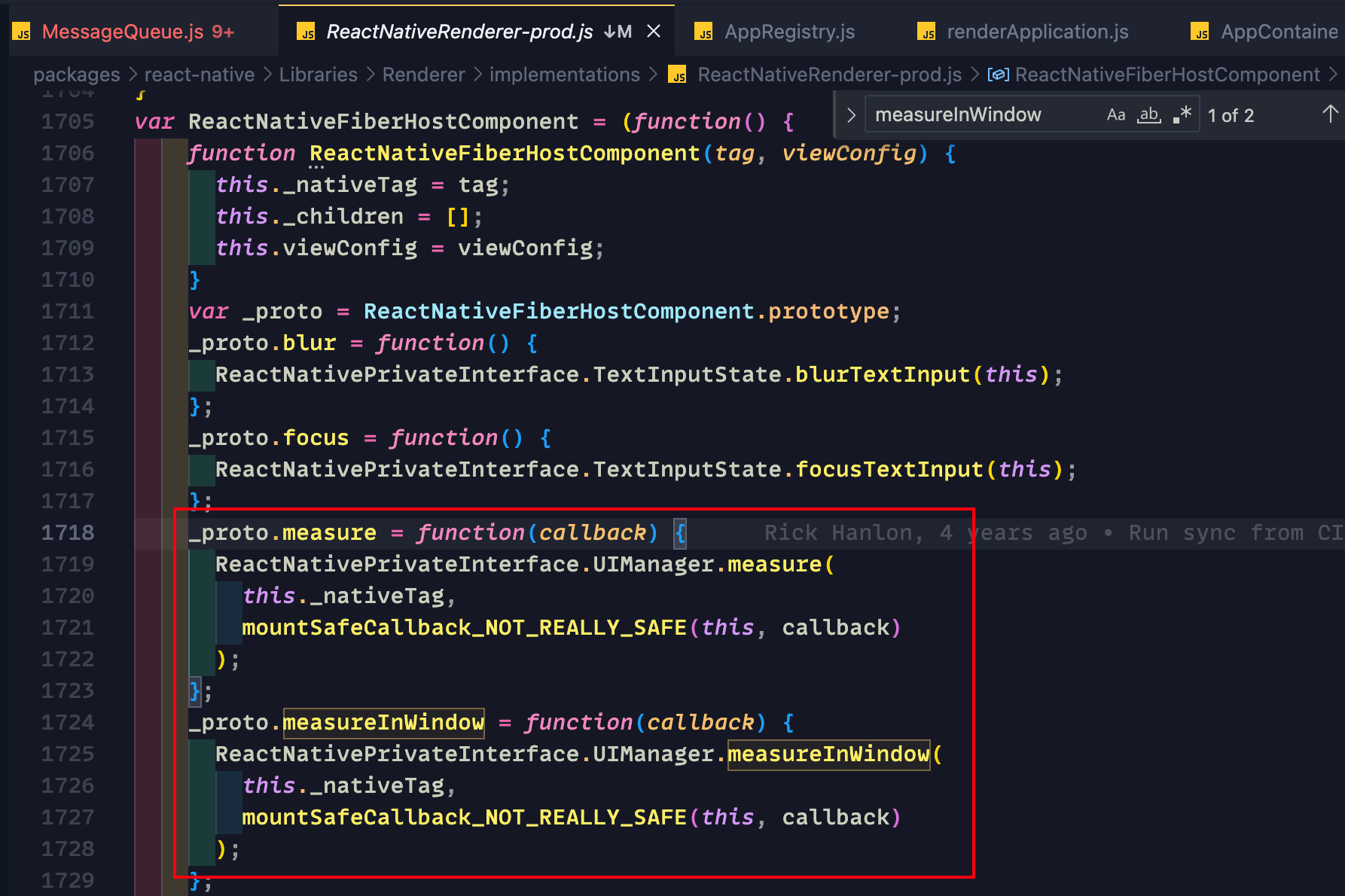
Now that we know where the source is, let’s open Xcode and look at the implementation in RCTUIManager.m.
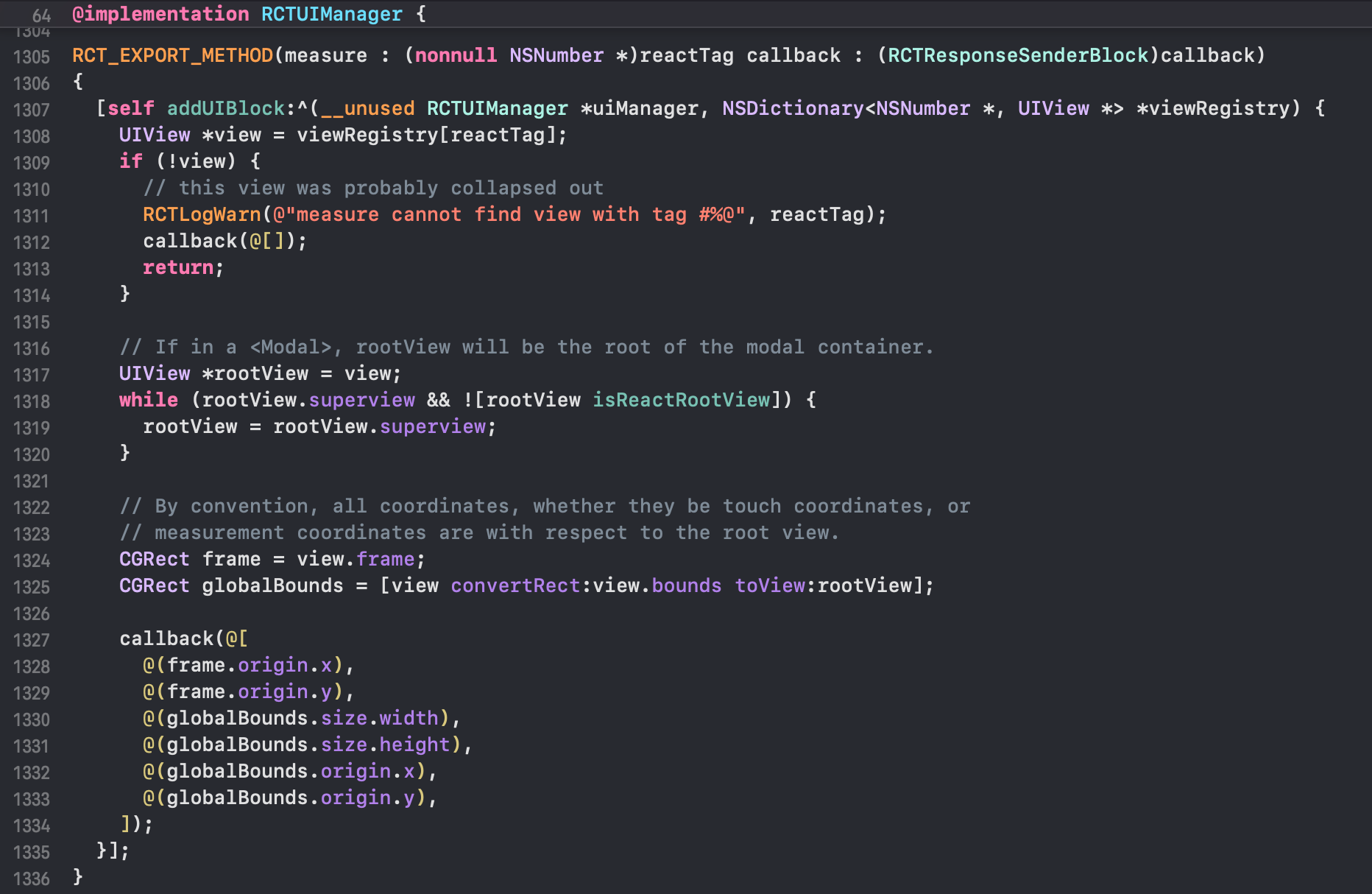
It’s easy to see how it works: it walks up via view.superview to find the topmost ancestor view (stopping at RCTRootView at most), then returns the target’s bounds in that ancestor’s coordinate space.
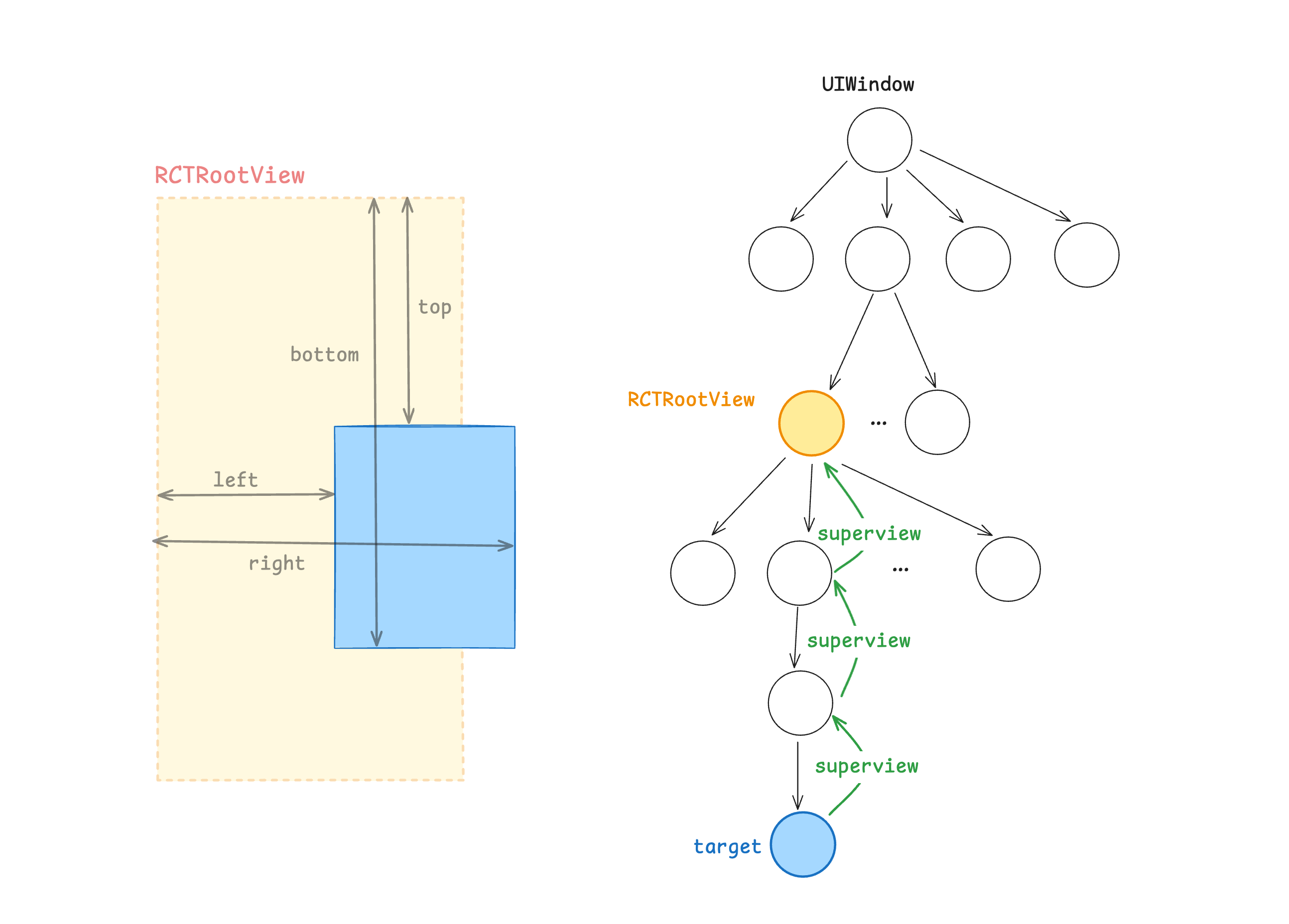
Looks fine at first glance, but these few lines made me think of removeClippedSubviews:
UIView *rootView = view;
while (rootView.superview && ![rootView isReactRootView]) {
    rootView = rootView.superview;
}
What if, and I mean what if, the target walks all the way up and the top it reaches isn’t RCTRootView? Couldn’t that make the measurement wrong?
For example, if some chunk of nodes had been detached from the view tree.
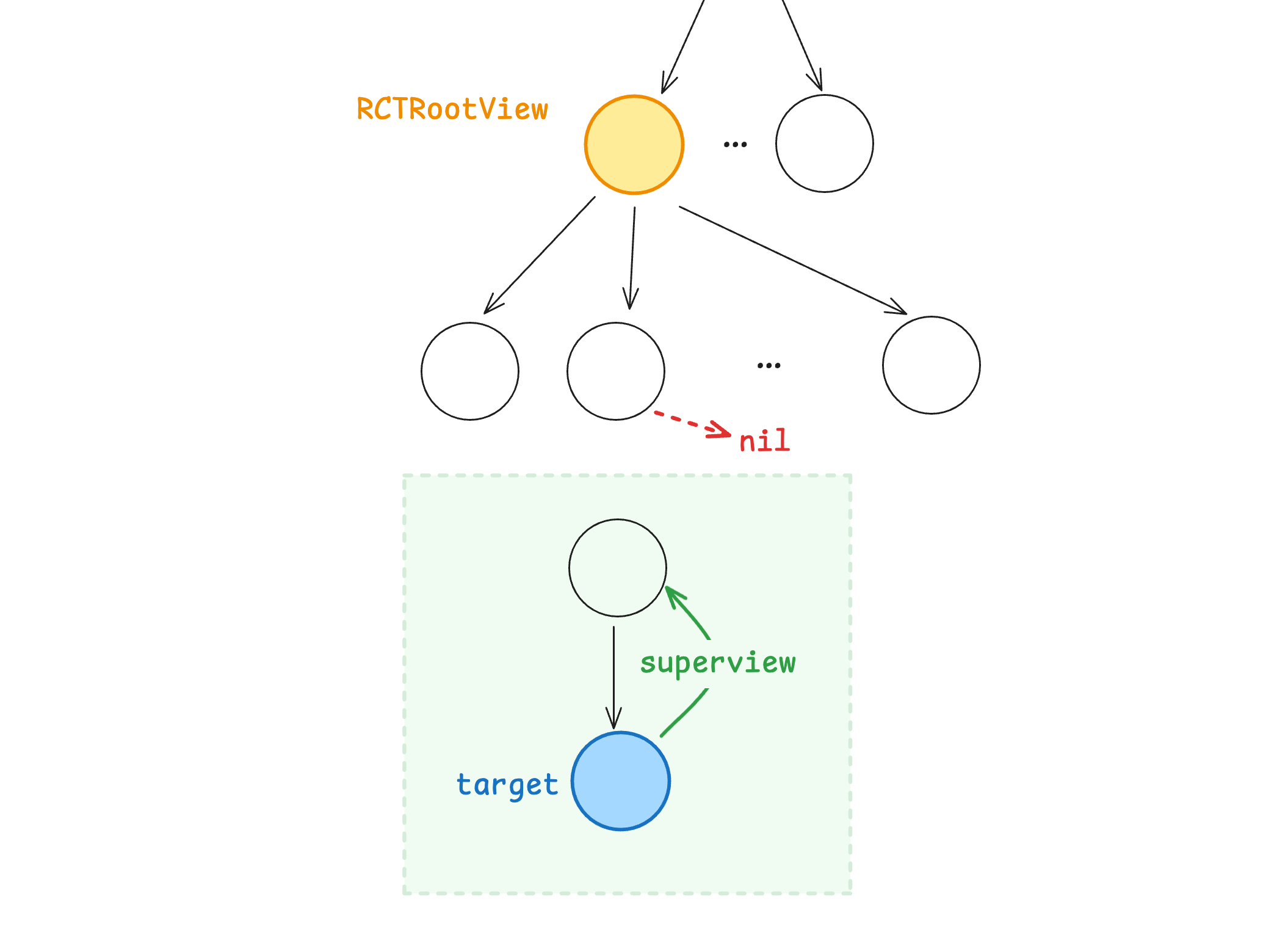
With that question in mind, let’s look at how removeClippedSubviews is implemented.
How removeClippedSubviews Works
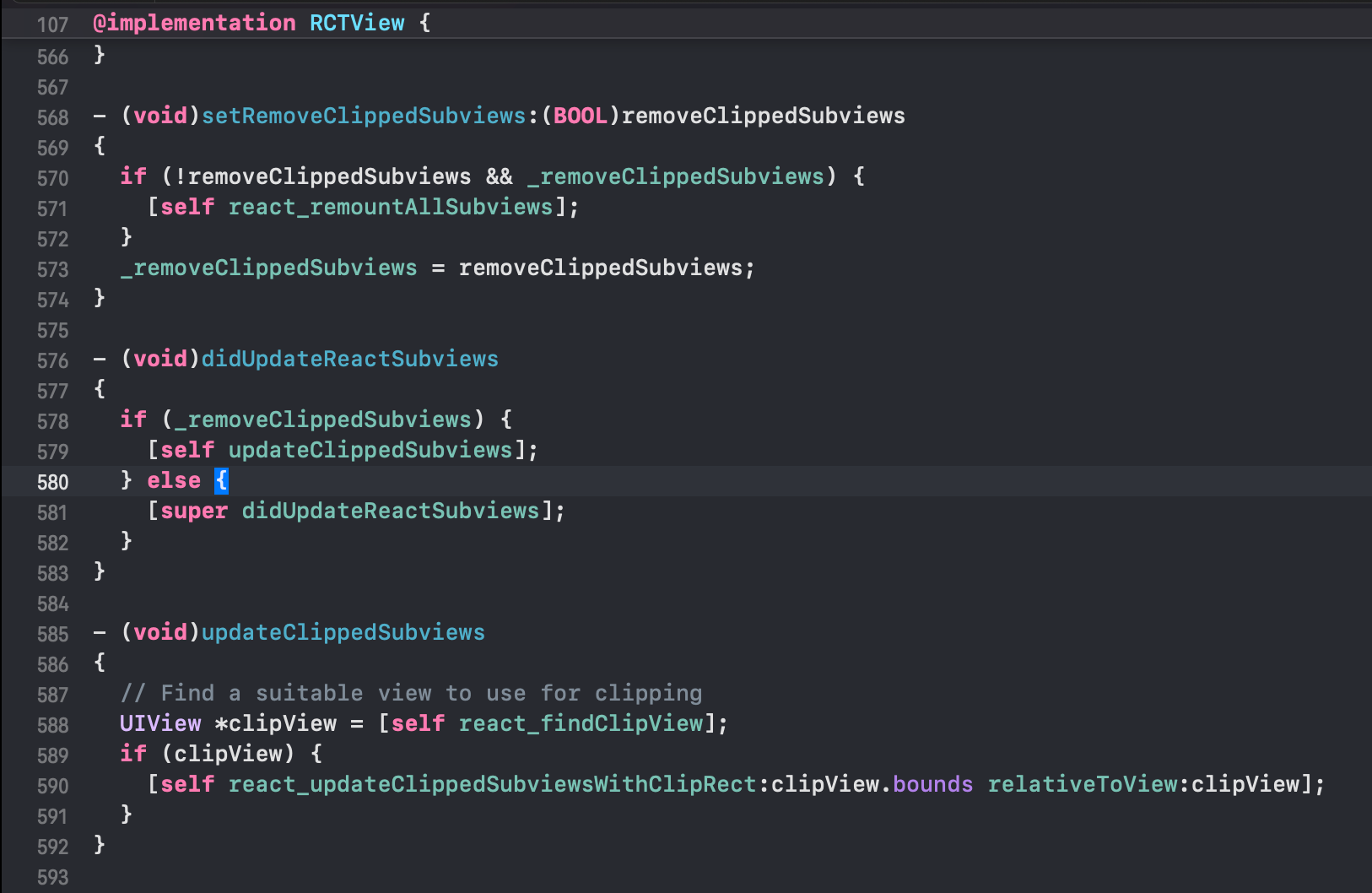
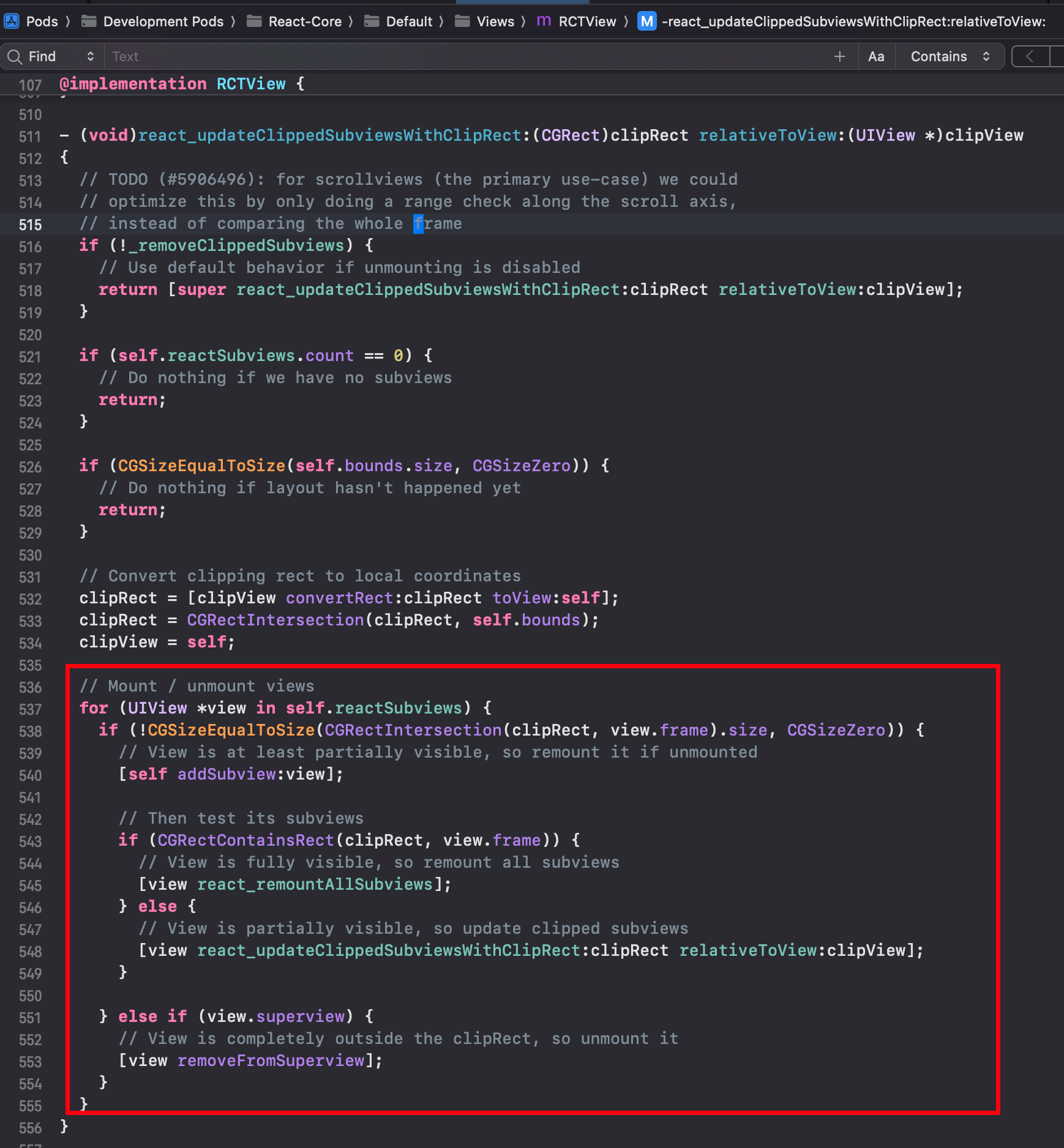
Roughly: if a View has removeClippedSubviews={true}, it runs the following logic:
- If the parent view fully contains a child view, the child is mounted in full
- If the parent and child partially intersect, the method is called recursively
- If the parent and child don’t intersect at all,
[view removeFromSuperview]is called on the child
In one sentence: if a View has removeClippedSubviews enabled, every child View that isn’t visible in the viewport gets [subview removeFromSuperview] called on it.
What Happens When You Combine the Two
From the above, a child view that no longer intersects its parent container gets detached from its superview.
So it’s easy to see that if you call measure on that view now, walking up through superview never reaches RCTRootView. Instead it stops somewhere in the middle (how many levels in depends on your specific layout).
As a result, the bounds returned by measure are not the target’s bounds relative to RCTRootView.
To put it more mathematically: if the coordinate system itself is wrong, the measurement is bound to be wrong.
The intersection ratio computed inside IntersectionObserverView is therefore wrong too.
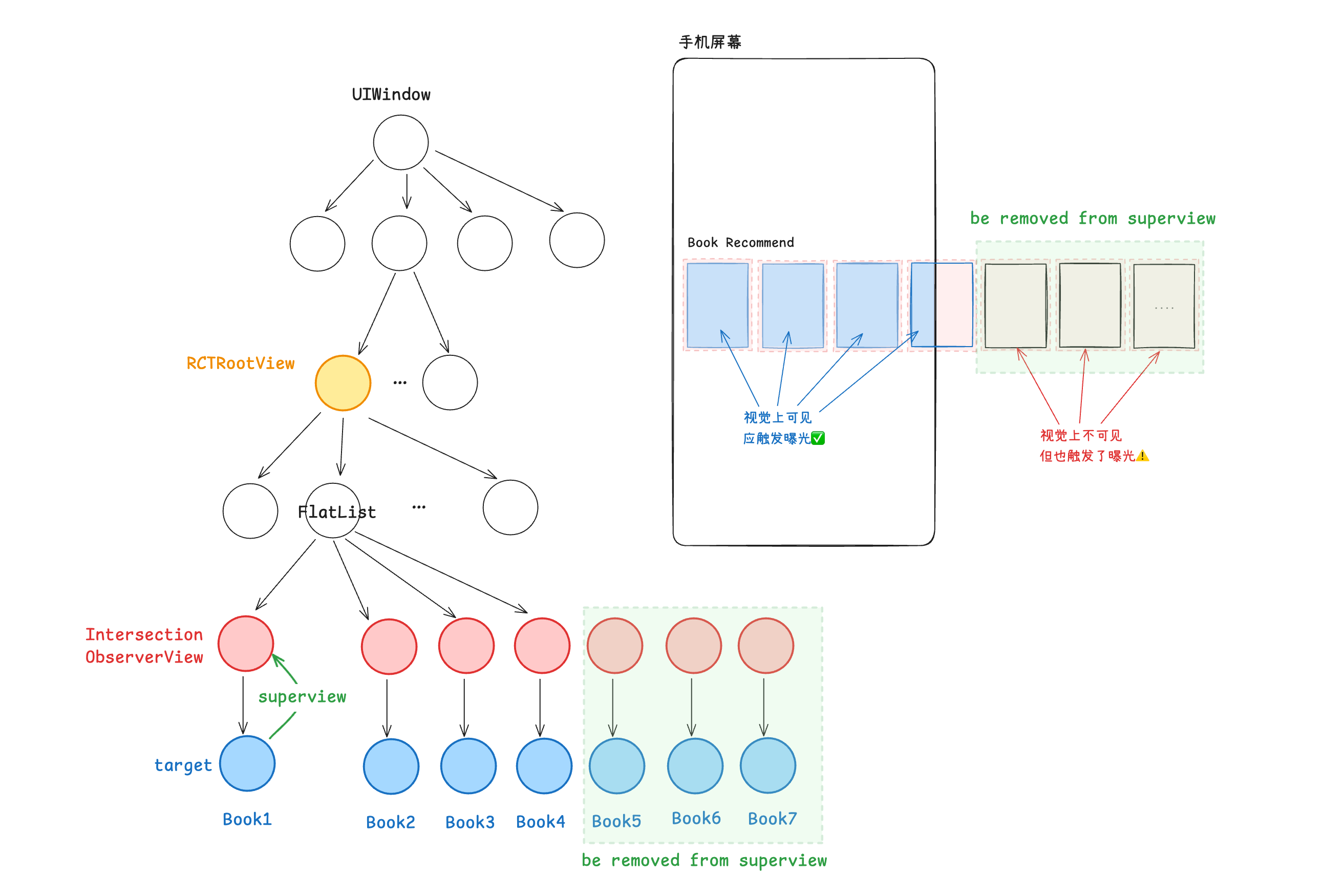
A very typical case:
Suppose measure only climbs one level up from the target before stopping. The intersection ratio computed from the returned bounds is then very likely to be close to 1.
Why? Because in everyday layouts we often have a container or two whose bounds are almost identical to their child’s.
The component then wrongly concludes that “the target intersects the root view by a large ratio, so it’s almost fully visible”, treats the target as seen, and reports bad data.
5. The Core of the Problem
- Setting removeClippedSubviews on the list detaches invisible views from their superview
- measure returns bounds that are not relative to RCTRootView, so the intersection ratio is wrong and a false impression is recorded
- From measure’s return value, there’s no way to tell whether the ancestor it measured against is actually RCTRootView
6. The Fix
(Temporary) Use measureInWindow Instead
Because this bug affected our data, the business side wanted a fix shipped quickly via hot update, without waiting on an app release. So we came up with a stopgap: use measureInWindow instead.
measureInWindow is also an RCTUIManager API, but its logic differs from measure. Instead of climbing through superview to find RCTRootView, it gets the view’s window directly via [view.window], then uses convertRect to convert coordinates.
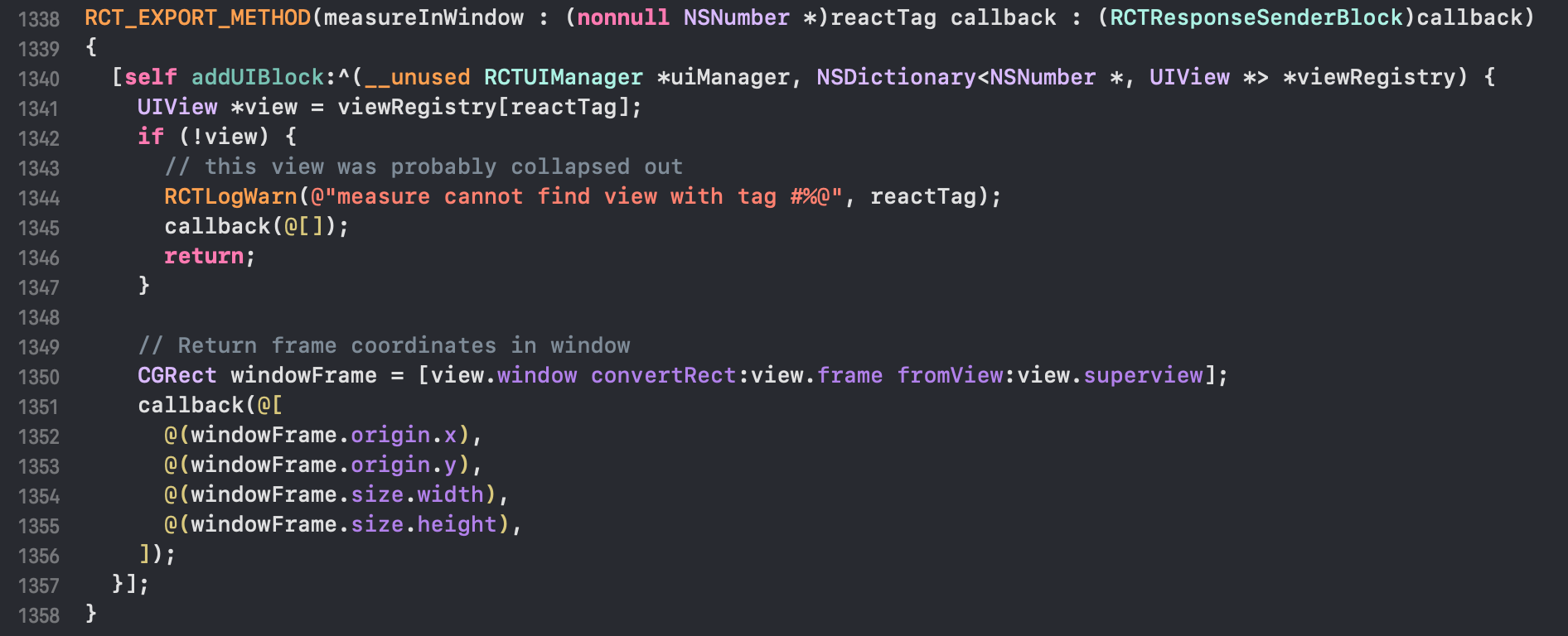
And according to UIView/removeFromSuperview - Apple documentation: once a view is removed by calling this method, it is no longer attached to any window.
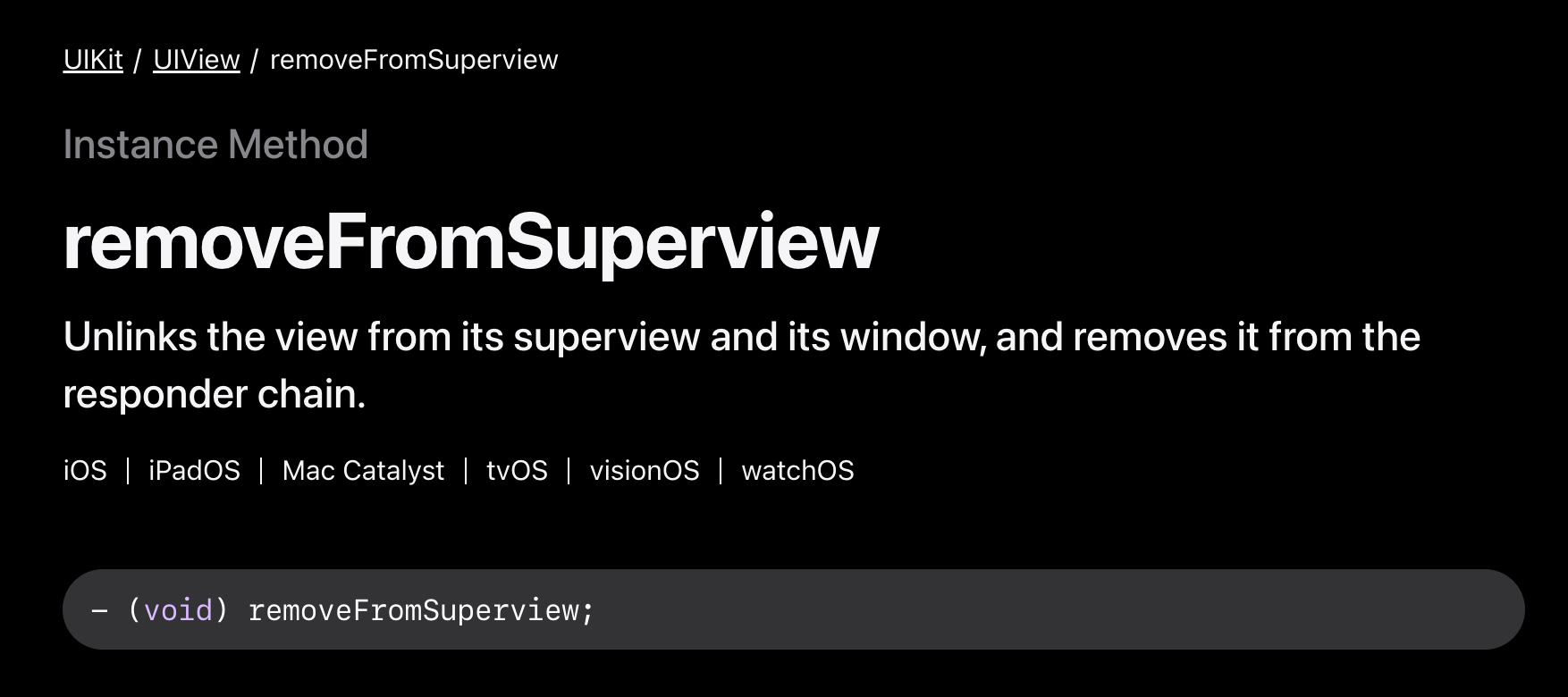
So in this case, when we measure a target with measureInWindow, if the target (or one of its ancestors/parent) has already been removed from its parent View, [view window] returns nil. The converted bounds come out as (0,0,0,0), so the intersection area is necessarily 0 and the intersection ratio is 0 as well, which is exactly what “not seen” should look like.
(Proper) A Custom measure
The more thorough fix: bridge a custom measure method from native to RN that returns one extra piece of information, whether the ancestor it measured against is RCTRootView, and let the calling code decide whether to use or trust the result.
Some Background
- When our app initializes the RN bundle, it uses the WRRCTBundleLoader class, which is responsible for initializing the RCTBridge
- Inside the RN framework, every RN View is identified by a reactTag
- RN adds an isReactRootView method to UIView in the
UIView+React.mcategory to check whether a View is RCTRootView (the logic is simple: it checks whetherself.reactTagends in 1) - RCTUIManager is one of RN’s core modules. It uses viewRegistry to maintain the mapping between JS-side component reactTags and native view instances. Based on the component type (e.g. RCTView, RCTText) and props passed from JS, it executes the create/update view commands sent from JS on the main thread and creates the corresponding native view instances (when a component is removed from the React tree, it calls removeSubview or a similar method to release native resources). .
The Code
This code largely mirrors RN’s original implementation in RCTUIManager.m. The main steps:
- Get the bridge instance from the bundleLoader singleton, and from that the
RCTUIManagerinstance - Every RN View is identified by a reactTag; read the reactTag from the params
- Call uiManager’s addUIBlock method to queue a task on the UI thread
- Look up the View instance in viewRegistry by reactTag
- Walk up the view’s parents to find the topmost ancestor view
- Call
[view isReactRootView]to check whether that ancestor is RCTRootView - Add a field to the callback result indicating whether the measurement is relative to RCTRootView
- (void)customMeasureReactView:(NSDictionary *)params
                      resolver:(WRBridgeResolveBlock)resolve
                      rejecter:(WRBridgeRejectBlock)reject
{
    WRRCTBundleLoader *bundleLoader = [[WRRCTBundleLoaderManager sharedInstance] bundleLoaderWithKey:BundleLoader_Default];
    RCTBridge *bridge = bundleLoader.bridge;
    id tagObj = [params objectForKey:@"reactTag"];
    if (![tagObj isKindOfClass:NSNumber.class]) {
        if (reject) {
            reject(@"0", @"Type Error: expected parameter reactTag to be a number", nil);
        }
        return;
    }
    NSNumber *targetReactTag = (NSNumber*) tagObj;
    dispatch_async([bridge.uiManager methodQueue] , ^{
        [bridge.uiManager addUIBlock:^(RCTUIManager *uiManager, NSDictionary<NSNumber *,UIView *> *viewRegistry) {
            UIView *view = viewRegistry[targetReactTag];
            if (!view) {
                NSLog(@"invalid empty view pointer");
                if (reject) {
                    reject(@"0", @"Cannot retrieve view from viewRegistry by the given reactTag", nil);
                }
                return;
            }

            UIView *rootView = view;
            while (rootView.superview && ![rootView isReactRootView]) {
                rootView = rootView.superview;
            }
            BOOL relativeToRootView = [rootView isReactRootView];
            CGRect frame = view.frame;
            CGRect globalBounds = [view convertRect:view.bounds toView:rootView];

            NSDictionary *result = @{
                @"x": @(frame.origin.x),
                @"y": @(frame.origin.y),
                @"width": @(globalBounds.size.width),
                @"height": @(globalBounds.size.height),
                @"pageX": @(globalBounds.origin.x),
                @"pageY": @(globalBounds.origin.y),
                @"isRelativeToReactRootView": @(relativeToRootView),
            };
            if (resolve) {
                resolve(result);
            }
        }];
    });
}
7. Why Doesn’t Android Have This Problem?
Remember, we said earlier that this problem only exists on iOS, not Android.
Let’s find out why.
RN’s Android side has more layers of abstraction. The entry point for measure is the measure method on UIManagerModule, and the actual call chain is:
UIManagerModule.measure(reactTag, callback)
-> mUIImplementation.measure(reactTag, callback);
-> mOperationsQueue.enqueueMeasure(reactTag, callback);
-> mOperations.add(new MeasureOperation(reactTag, callback));
-> MeasureOperation.execute()
-> mNativeViewHierarchyManager.measure(mReactTag, mMeasureBuffer);
The work is ultimately done in the measure method of the NativeViewHierarchyManager class:
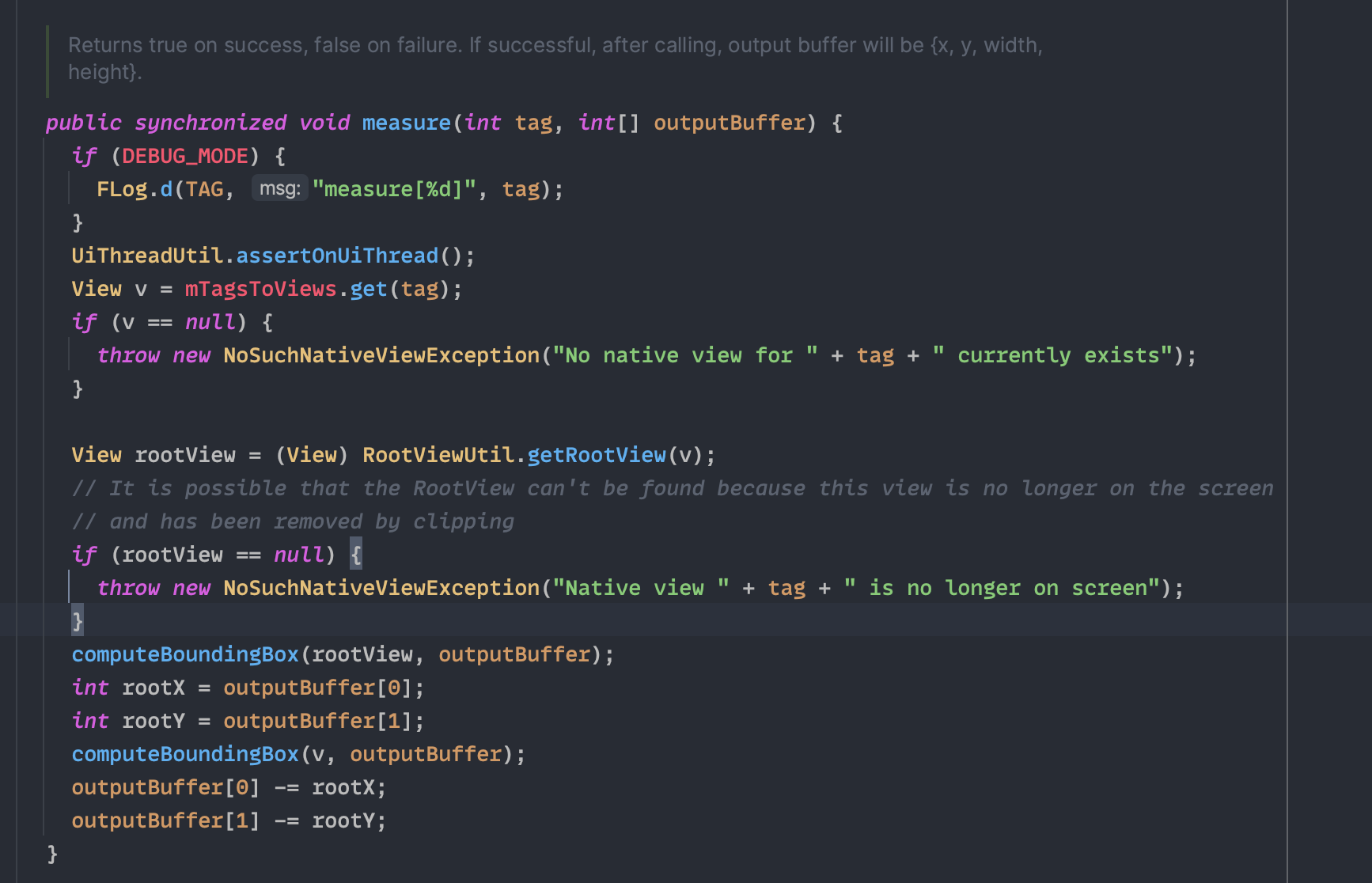
The overall logic is much like RN iOS’s measure API: get the View by reactTag, find the ancestor view, then compute relative coordinates.
The key is right here. There’s a defensive check: if getRootView can’t find a rootView, it throws an exception instead of returning a result.
View rootView = (View) RootViewUtil.getRootView(v);
// It is possible that the RootView can't be found because this view is no longer on the screen
// and has been removed by clipping
if (rootView == null) {
    throw new NoSuchNativeViewException("Native view " + tag + " is no longer on screen");
}
But is that enough? We’re not 100% sure yet. Let’s look at getRootView:
public static RootView getRootView(View reactView) {
    View current = reactView;
    while (true) {
        if (current instanceof RootView) {
            return (RootView) current;
        }
        ViewParent next = current.getParent();
        if (next == null) {
            return null;
        }
        Assertions.assertCondition(next instanceof View);
        current = (View) next;
    }
}
OK, now it’s clear. On both platforms, finding the root view works by walking up the view tree, but Android’s implementation is stricter: it checks every View along the way with instanceof RootView, so it either finds a RootView on the path or returns null.
So Android really is fine.
8. How Similar Frameworks Handle It
ByteDance open-sourced its internal cross-platform framework, Lynx.
It natively supports both simple and custom impression tracking through its IntersectionObserver API.
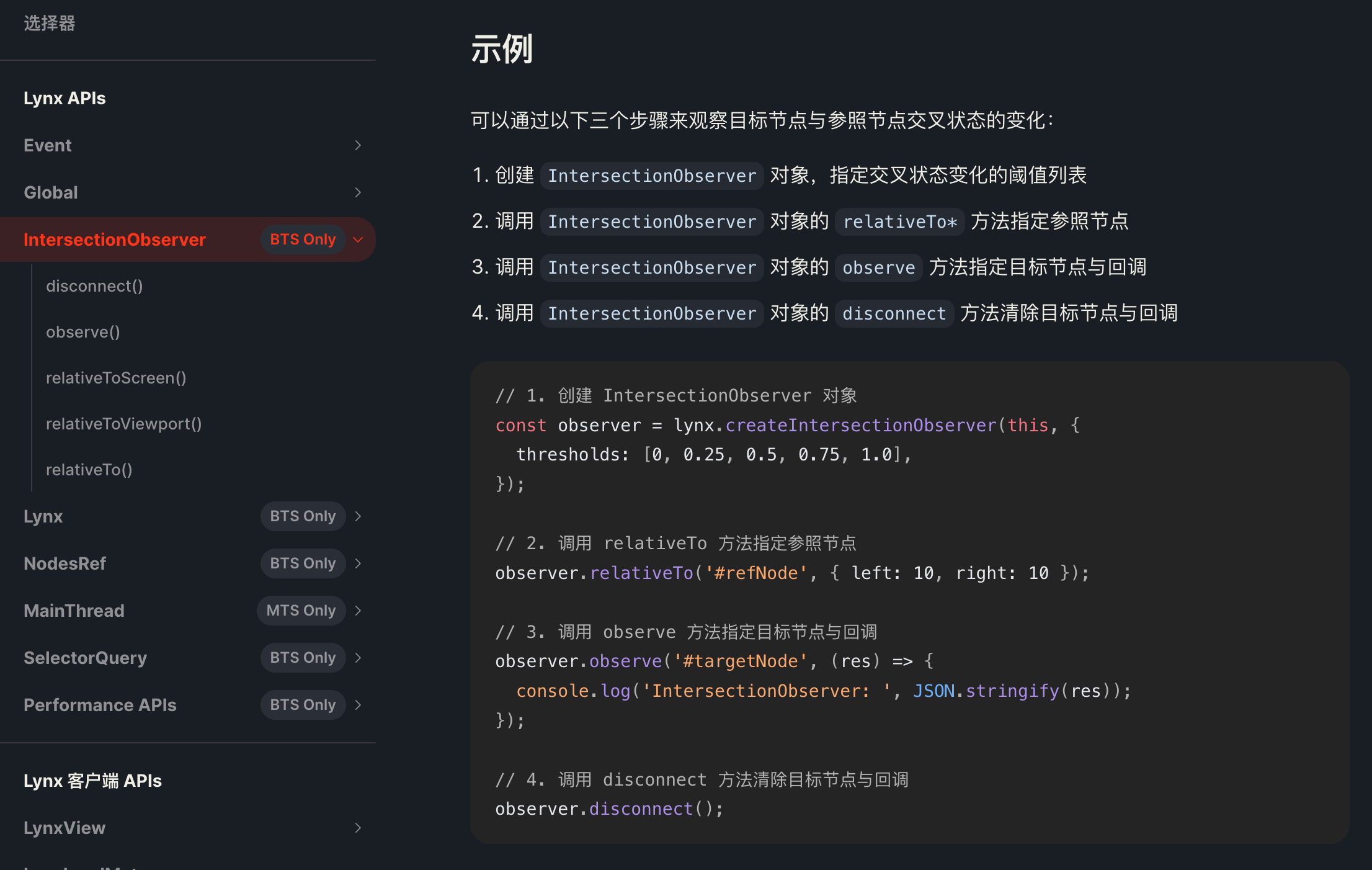
As you can see, several of its APIs let you specify the reference node for measurement:
IntersectionObserver.relativeTo()IntersectionObserver.relativeToViewport()IntersectionObserver.relativeToScreen()IntersectionObserver.observe()IntersectionObserver.disconnect()
This design addresses exactly the pain point this post uncovered, and the API is both simple and enough for common business needs.
Digging into the source, the iOS implementation is basically an upgraded version of RN’s measure API: it takes the root node’s visibility into account and checks the identity of the top-level node more thoroughly.
The Android implementation lives in LynxIntersectionObserver.java, and its logic is almost identical to the iOS one, so I won’t paste it here.
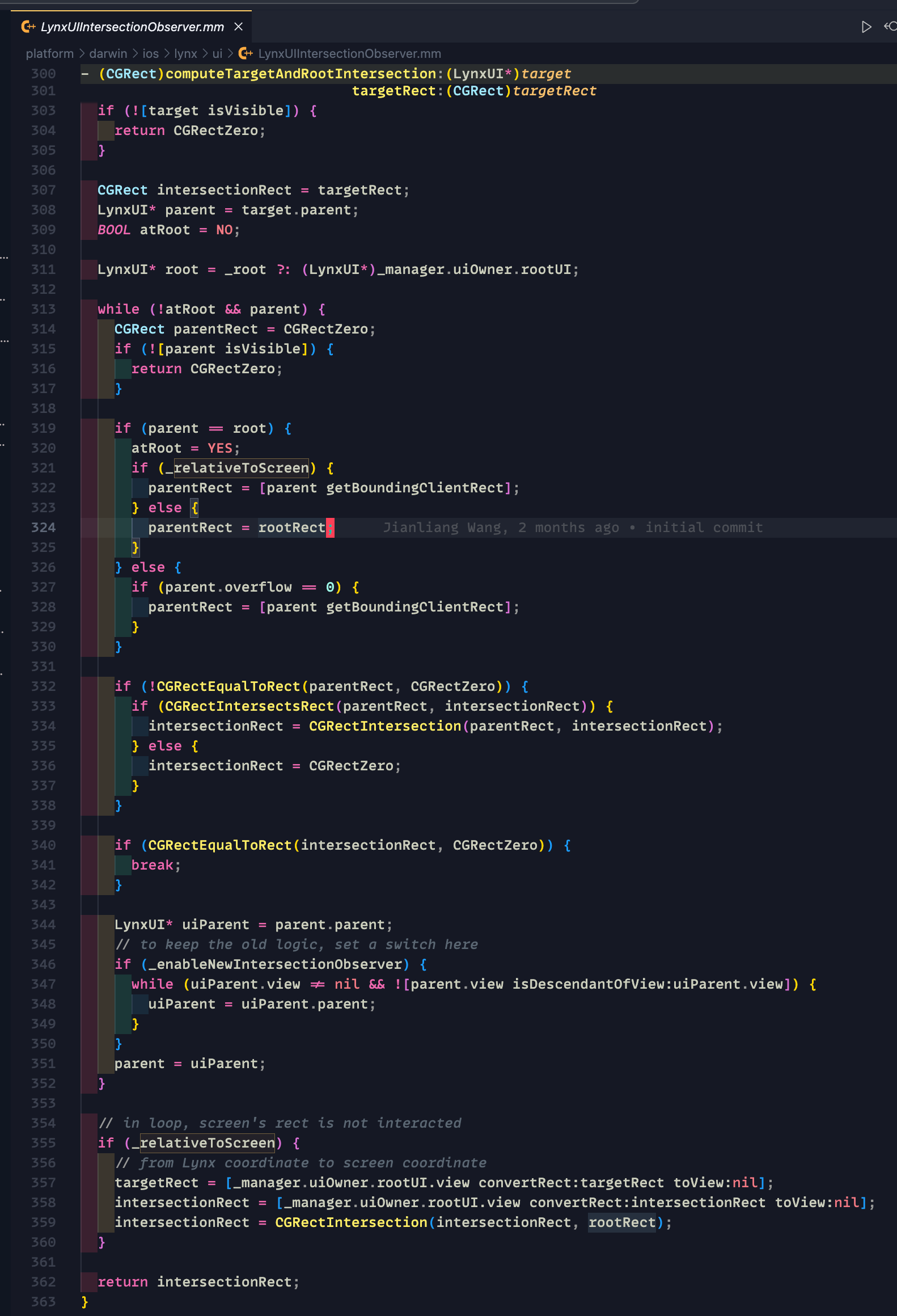
9. Can We Send a PR to RN?
Already done, though it doesn’t matter much anymore. In the New Architecture, the measure and measureInWindow methods exposed by RCTUIManager are deprecated, replaced by measure and measureInWindow implemented once in C++.
Spinning up a demo on RN 0.78 shows that the New Architecture uses a C++ method (instead of one implementation per platform). Its logic looks like this:
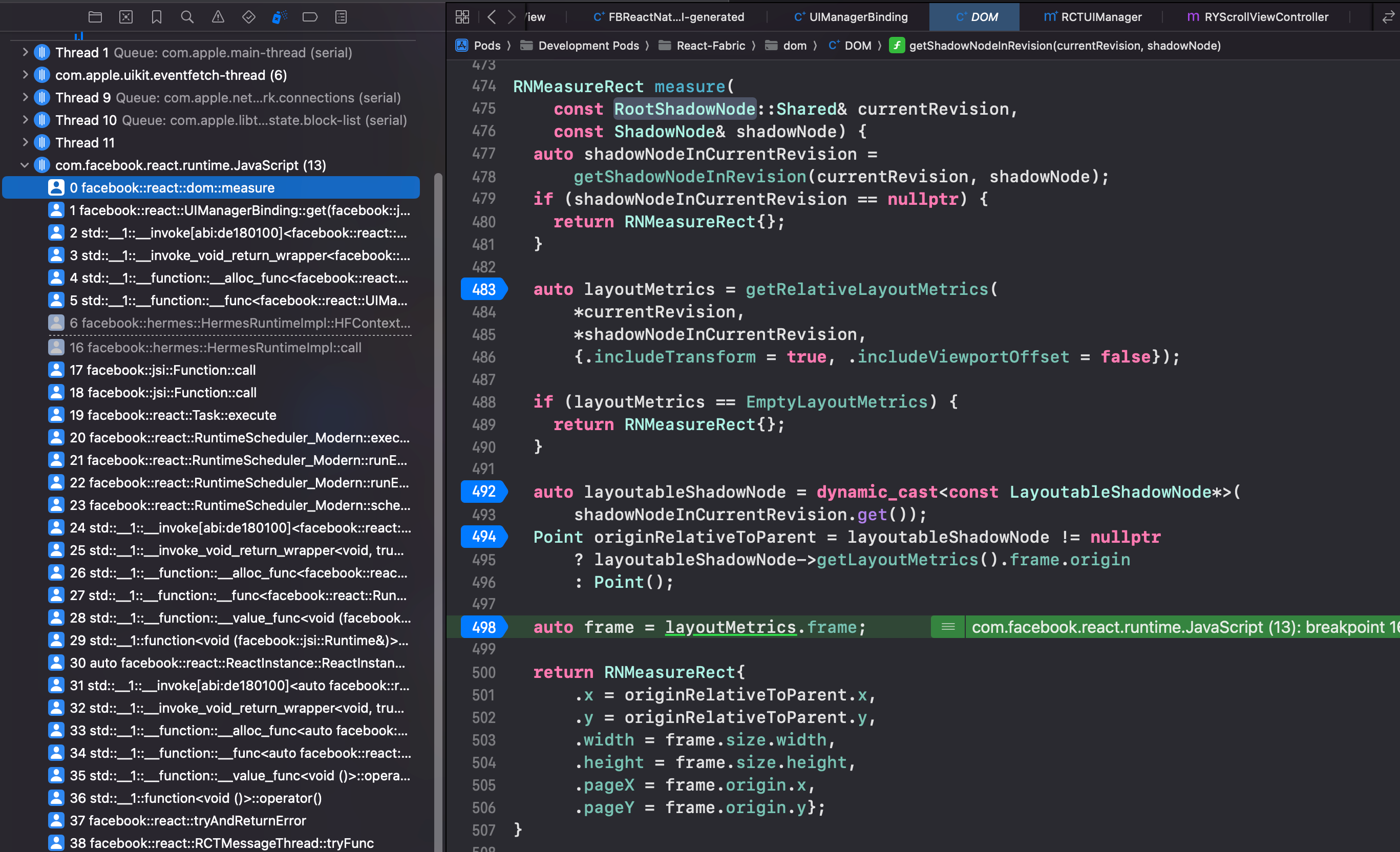
It’s actually quite similar to the old logic: get the ancestor node ancestorNode, compute and convert coordinates via getRelativeLayoutMetrics(ancestorNode, shadowNode) to get a layoutMetrics struct, do a small conversion, and return an RNMeasureRect{} struct to JS via callback.
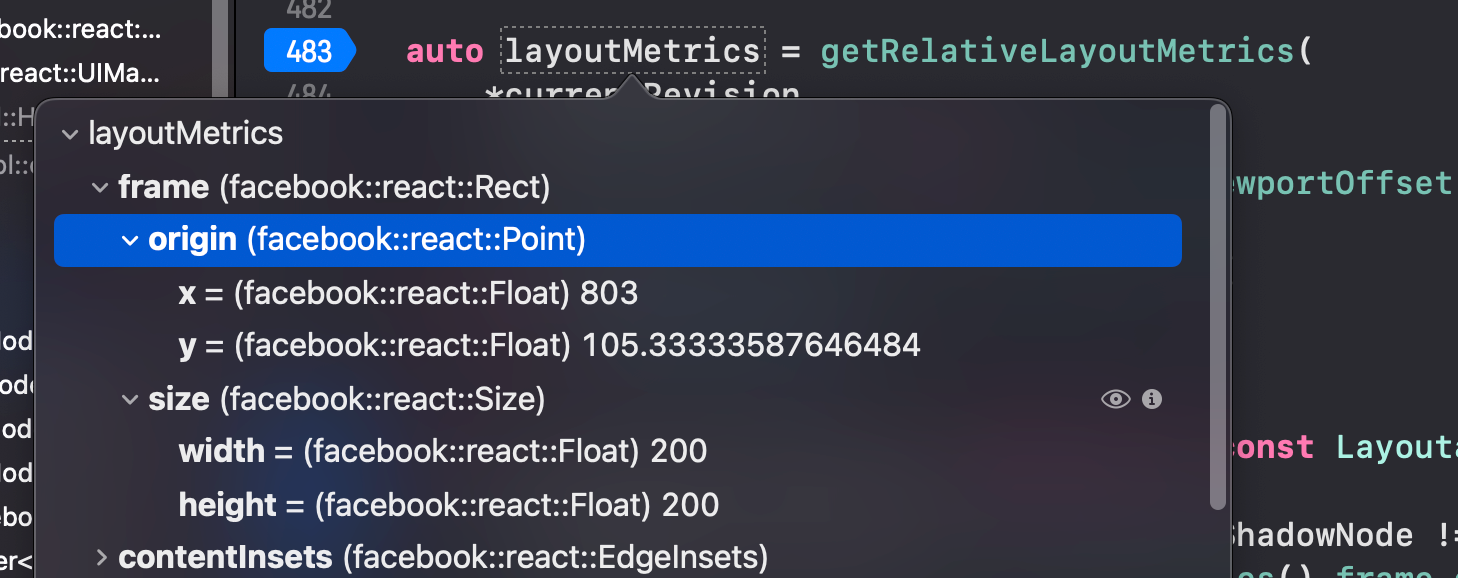
One very important difference: in the old architecture, measure really just had RCTUIManager read the native View’s frame and return the coordinates, while the removeClippedSubviews optimization happens at the native layer, so the view-tree traversal is affected by removeClippedSubviews. The New Architecture has a ShadowNode layer that lives in C++. ShadowNodes carry layout information and measurement happens at that layer, so even if the corresponding native view is removed, the measurement on the ShadowNode layer isn’t affected. That’s why the New Architecture no longer has this problem.